Loan officer expertise, paired with AI
AI helps borrowers understand their next step, and helps the team prepare files with more to go on.

AI keeps your borrower's file moving
From application to closing, AI reads documents, checks the numbers, and flags issues in real time — so the file moves faster, stays accurate, and your team's time goes where it matters.
Application & Documents
New loan application
Document review
Income verification
1003 completeness check
Request missing documents
AI Agent Tasks
Classify & extract documents
Auto-runReads every upload and matches it to what the file requires.
Analyze income & cash flow
Auto-runTotals income across jobs and sources with supporting documents.
Underwriting findings review
Auto-runFlags gaps and inconsistencies with the evidence behind each one.
Conditions & Closing
AUS conditions tracking
Turns AUS findings into a trackable condition list.
Closing Disclosure reconciliation
Reconciles the Final CD against invoices and prior disclosures.
Ready for Closing
AI support, right inside the portal
Tera Assistant has context on the exact screen you're on — no need to describe it from scratch.
Help at the step you're on
Ask about a field label, a choice, or an error you're seeing — Tera Assistant answers based on the screen you actually have open.
“What do the Loan type options mean?”

Turns data entry into a quick check
Upload a document and AI reads it, prefilling the matching parts of your application — you review and complete the rest.

Answers grounded in your own file
Ask what documents you're still missing, or how to reach your loan officer — the assistant only reads what's on your file.

Help shows up when you need it
The portal notices repeated errors or a long pause, and surfaces a question you can tap to ask.
More to work with, for the job you already do
AI reads documents, analyzes income, finds guidelines, and reviews files — with evidence attached.
Document data prep
AI classifies, extracts, and matches documents against what the file requires — you review instead of retyping every field.

Tera Assistant, app by app
Same name, different scope in each product — demo it where the capability actually lives.
Borrower portal
Explains the step a borrower is on; reads their own loan, application, documents, and rate alerts.
Read-only tools. Borrowers still act and submit on the portal themselves.

Staff assistant in TERA LOS
Mortgage Q&A and conversation about attached documents.
Doesn't yet read or edit business records through chat.

LoanFactory AI at /tera
A personal assistant for research, calculations, documents, and drafts.
Uses tools from connected apps you're permitted to use — a connected app doesn't mean every feature is available to the assistant.

Elsewhere in the ecosystem
A few more places AI shows up, each with its own scope.

Appraisal Review
Checks an appraisal against property and sales data, and helps prepare evidence for a Reconsideration of Value request.

Disclosure workflow
Pulls file data into an integrated lender's disclosure process.
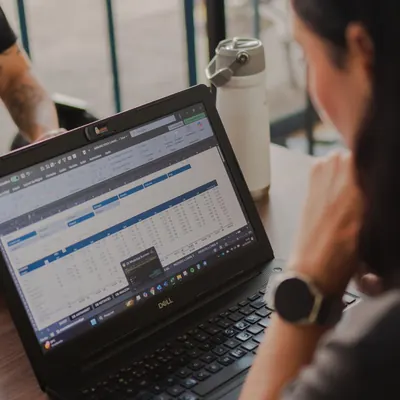
LFIQ bulk import
Reads a spreadsheet of contacts or homeowners to help prepare the data for LFIQ.

LO bio content
Drafts a loan officer bio from the details you provide, for you to review before using it.

Conversational pricing
A public tool for rate and affordability estimates, county loan limits, and ZIP lookups.

Rate Alert
Tracks a scenario against a rate and cost target, creating an opening to reconnect once it's close.
See it on a real screen, not a slide
Each demo uses sample data and the account that actually has the feature turned on.
Borrower filling out an application
Scenario: A borrower is on a step with a choice they don't understand, or an error to fix.
What you'll see: The assistant recognizes the step, explains the right thing, and only points to actions on the portal.
Document-based prefill
Scenario: A sample document is dropped into the prefill flow.
What you'll see: Fields populate with a source marker, and how conflicts get reviewed or resolved.
LO analyzing a file
Scenario: A sample file with a mixed income source or a statement worth a closer look.
What you'll see: The calculation, the supporting documents, and what still needs confirming.
Loan file review
Scenario: A review mode already enabled in the demo environment runs.
What you'll see: Findings with evidence and a suggested fix — the LO opens each one to check it.
Lender Finder
Scenario: A loan scenario is described in plain language.
What you'll see: Programs or lenders to consider, the guideline excerpt behind them, and what's still unconfirmed.
Questions worth asking before a demo
Does the AI act on my behalf?
No. For borrowers, AI explains and prefills — you still enter, upload, edit, and submit everything yourself on the portal.
Can the assistant see other people's files?
No. It only reads what the person signed in is allowed to see — their own loan, application, and documents.
Do I have to confirm what Lender Finder or an underwriting review finds?
Yes. AI output is analysis and suggestions — a loan officer or the appropriate mortgage professional reviews and decides.
Is Tera Assistant the same everywhere?
The name is shared, but capability depends on the app. The borrower portal, the TERA LOS staff chat, and LoanFactory AI at /tera each have a different scope.
Does every connected app automatically become an assistant tool?
No. Only the tools that app actually exposes, and only when you're permitted to use them.
Talk to Loan Factory about the AI tools behind your file
From the first application to closing prep — see where AI actually fits into the work.